⚡ Quick Translation Methods
Looking for the fastest way to get translations in Discord? We’ve got two powerful tools to help your users translate without breaking the flow of conversation.
Whether you prefer a private context menu or classic flag reactions, HephBot supports both.
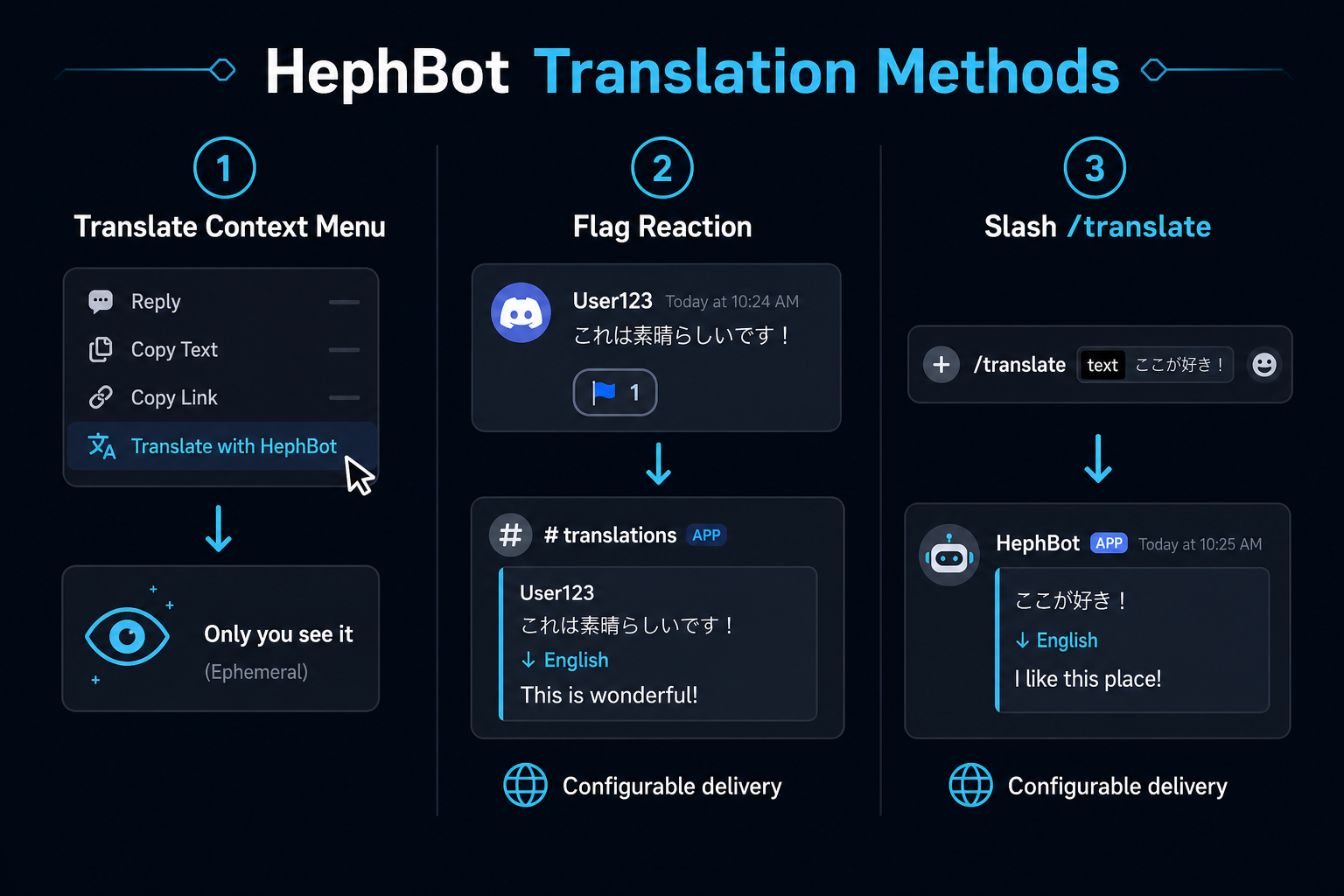
Translate context menu
This method is fast and clutter-free.
To use it:
- Right-click a message (or press and hold on mobile)
- Go to Apps → Translate
HephBot instantly translates the message into your chosen language.
Ephemeral by design: Only you see the result. This keeps public channels clean — ideal for announcements or quick lookups.
The menu uses your personal language from /language. Admins can suggest a language for another user (see below).
Server admins can rename this menu per guild (for example, Traducir or Übersetzen) from Dashboard → Commands. It still appears under Apps when right-clicking a message. Customization guide
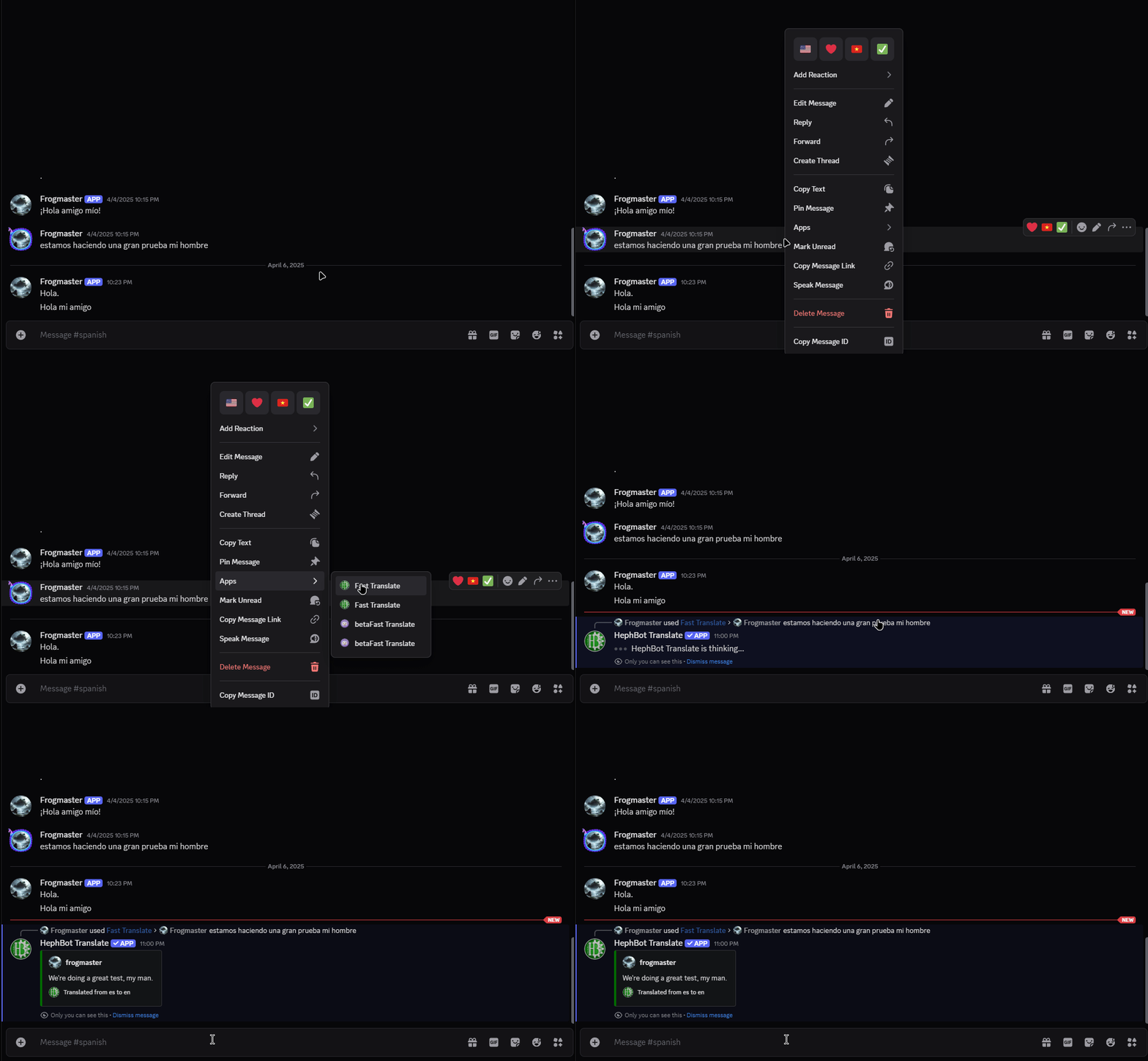
GIF: Translate context menu in action (existing asset)
Pro tip: Encourage the Translate context menu in busy channels to reduce public flag-reaction clutter. Configure flag behavior in Flag Reactions.
🏁 Flag Reaction Translations
Love the classics? This one’s for you.
HephBot also supports the old-school method: reacting with a flag emoji (🇪🇸 🇩🇪 🇰🇷, etc.) to instantly translate the message into that language.
This method is familiar and easy, especially for users who’ve used translation bots before. While it’s not a native Discord feature, it’s been widely adopted — and we added it by request for fans of this approach.
However:
- Messages translated this way are visible to everyone, which can clutter busy channels.
- The translated message gets automatically removed after a period of time to reduce spam.
- That’s why this feature is optional and can be turned off with the /ignore command.
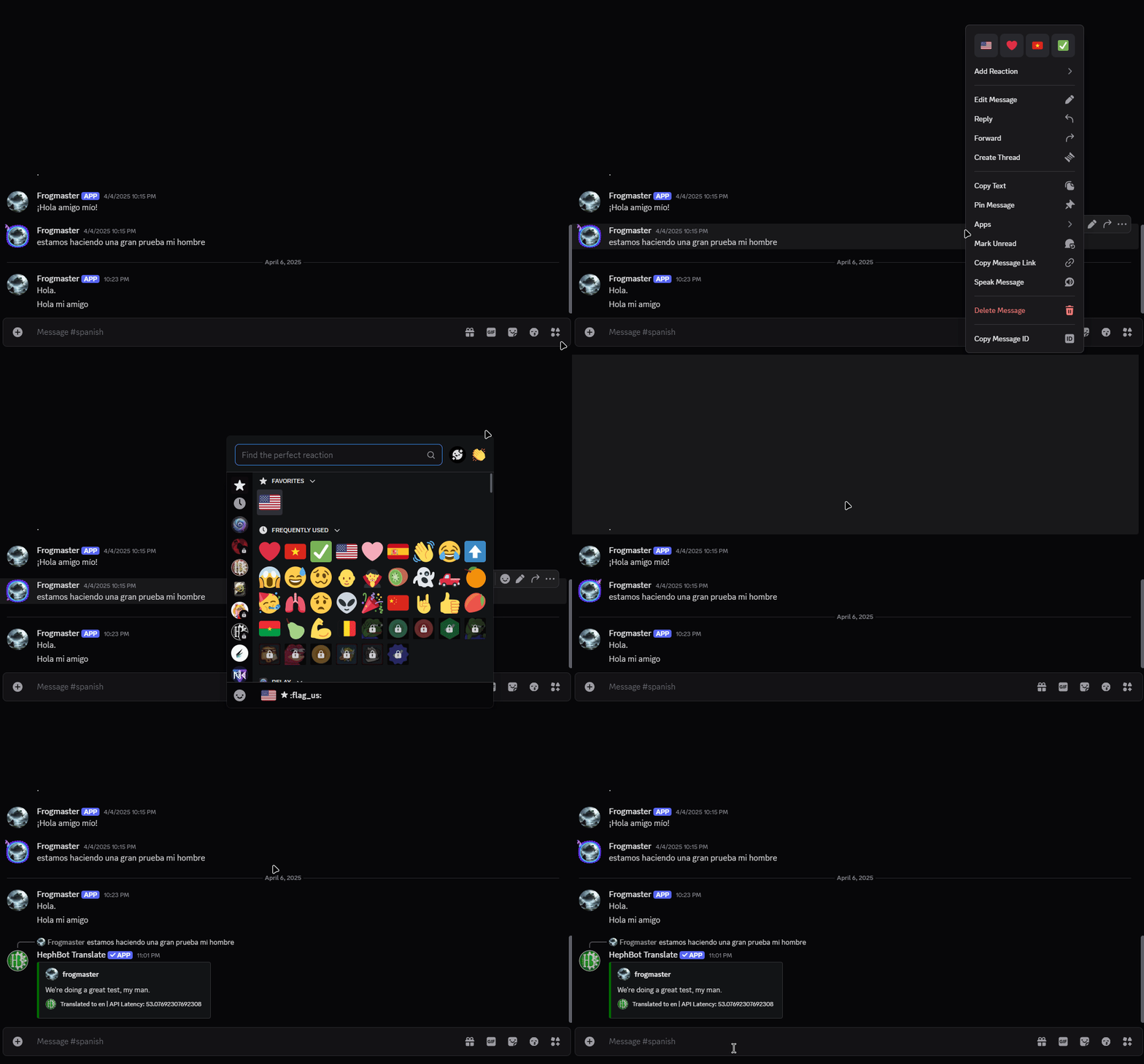
A video of Flag Reaction translation
💡 We recommend nudging users toward Fast Translate for a cleaner and more modern experience.
🔇 Blocking Translations in Channels: /ignore
Don’t want translations in certain channels like announcements or rules?
Use the /ignore command to disable HephBot translations:
/ignore channel:#announcements true
You can toggle it back on with:
/ignore channel:#announcements false
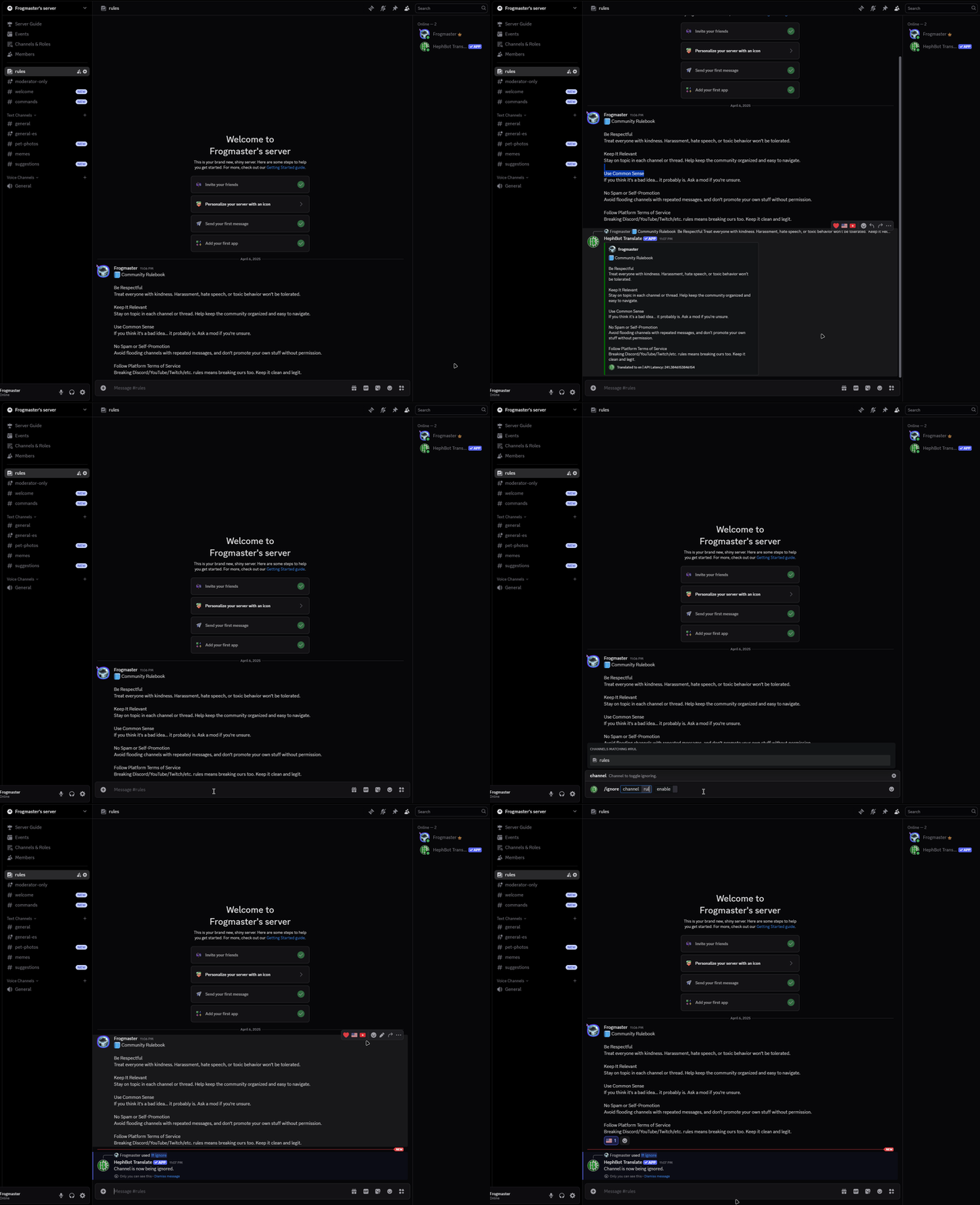
Showing off how powerful /ignore can be
🧼 Great for keeping your info channels distraction-free.
🌍 Set or Request a User’s Language: /language
Let users choose how they want to see translated messages — or help them pick a language yourself. This controls the target language for the Translate context menu.
/language language:Spanish
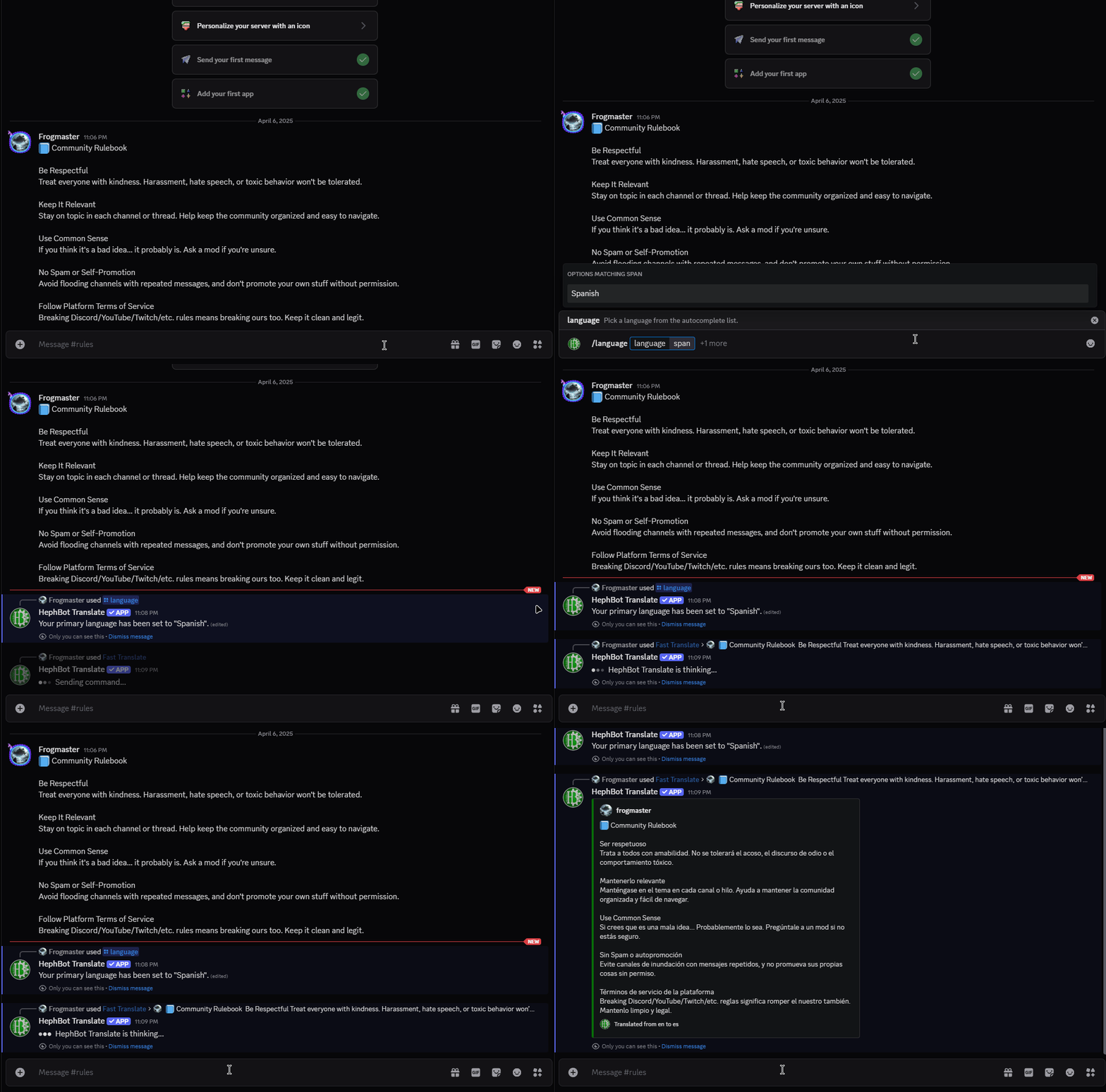
Showing off how /language works for a user
To suggest a language to another user:
/language language:German target:@user
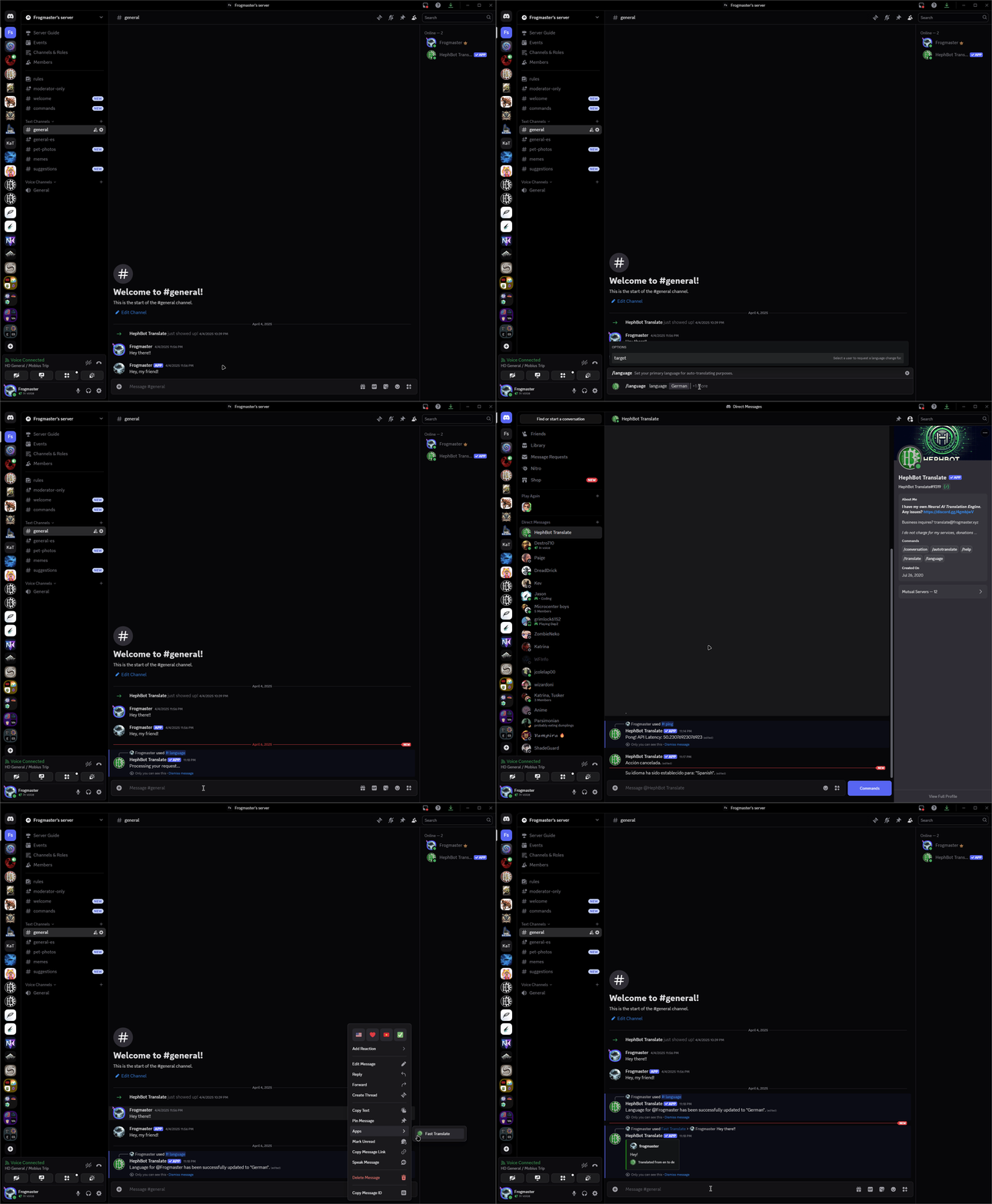
Showing off setting the language for another user
Want the context menu to work perfectly? Start by helping everyone set their preferred language with
/language.